■ Anthropic · MCP clientQuickstart · 2 min
Claude × Hail
Claude was the first widely shipped MCP host. Add Hail as a remote connector. Your agent gets call, SMS, and email tools when Claude reconnects.
Claude.ai (Web)Claude DesktopClaude Code

Setup
~60 seconds · no API key01
Drop Hail into your config
Add the Hail MCP server using the snippet below. Paste it where this client expects MCP servers. The path varies, the shape doesn't.
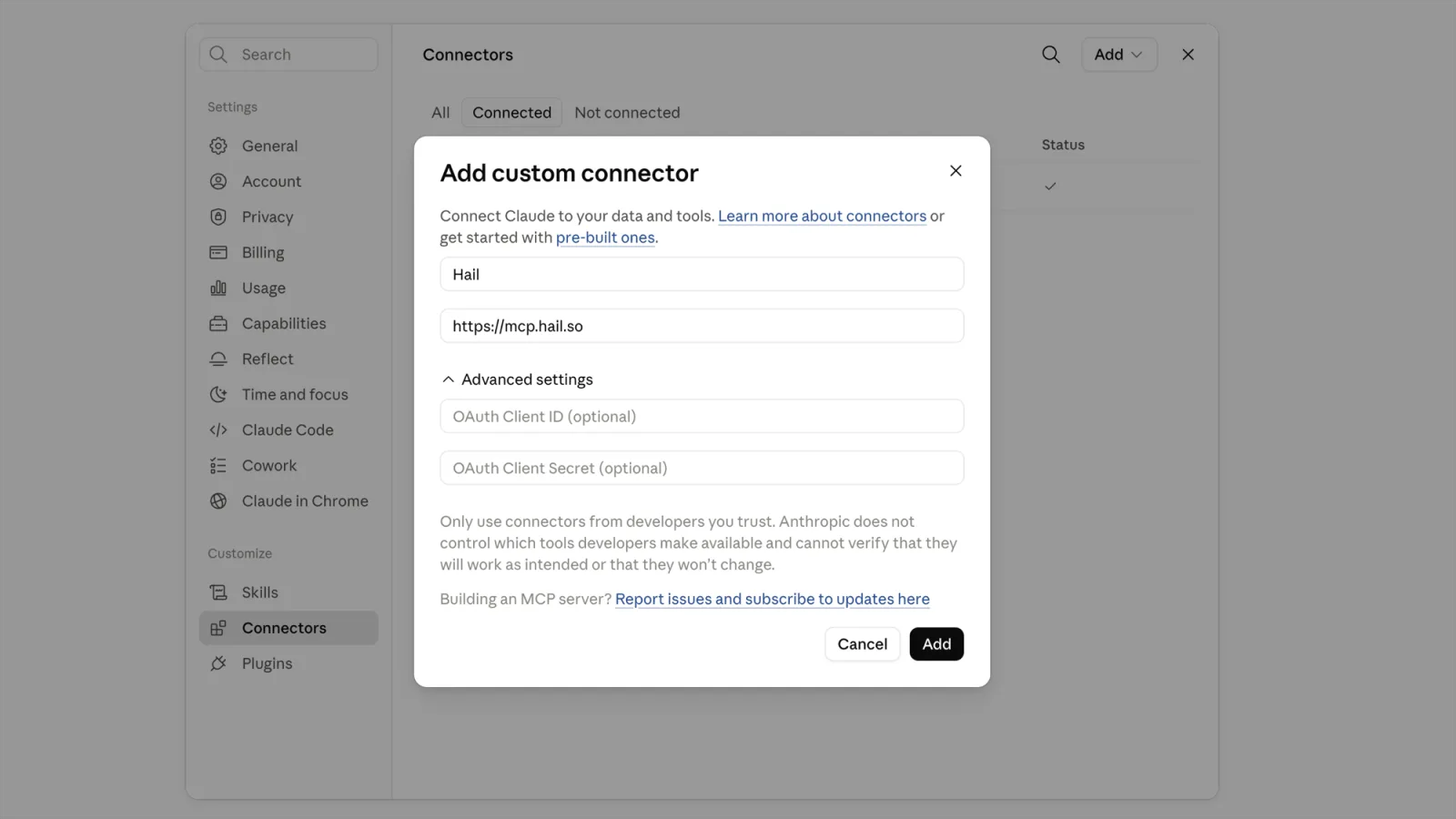
claude.ai → Settings → Connectors → Add custom connector
URL · claude.ai · Custom connector URL
https://mcp.hail.so
SHELL · Claude Code · terminal
claude mcp add --transport http hail https://mcp.hail.so
02
Click Allow. Then try it.
Reload the client. On first use it pops a browser tab. Sign in to Hail, or sign up in 30 seconds. Click Allow and tokens flow back to the client. Then send the prompt below. If a call is placed, an SMS lands, or an email shows up in the inbox view, you're done.
"Use hail to call my agent and ask for a status update."
■ Notes
Claude.ai · DesktopSettings → Connectors → Add custom connector. Name: Hail. Paste the URL. Click Add, then Connect.
OAuth fieldsLeave Client ID and Secret empty. Discovery is automatic.
Claude CodeRun the command above. Authenticate via /mcp, or run claude mcp login hail.
One accountConnectors added on claude.ai also appear in Claude Code.
ScopesDefault: this project. --scope user: all your projects. --scope project: shared .mcp.json.
PlansAll plans. Free: one connector. Team/Enterprise: an org Owner adds it first.
Auth headerDo not set one. It blocks the OAuth flow.
PrivacyChat history never reaches Hail. Only tool arguments do.
ManageRevoke or manage this app at hail.so/console/apps.
Self-hostSet HAIL_API_KEY as the bearer. See docs/mcp.
Hail your first call from this client.
Self-host on your own carrier or claim a managed number. Either way, your agent picks up the phone in ~120 seconds.
■ Also available for


